สามารถดาวน์โหลดคู่มือ driver mainboard ที่ คู่มือ driver mainboard
BIOSTAR
BTH55B
NF61V Micro AM2 Ver.1.0
Chipset-IDE
http://download.biostar.com.tw/upload/Driver//Chipset/NVIDIA/NF61_MCP61/NV1500G/2KXP/IDE.zip
Chipset-SMBus
http://download.biostar.com.tw/upload/Driver//Chipset/NVIDIA/NF61_MCP61/NV1500G/2KXP/SMBus.zip
Chipset-Ethernet
http://download.biostar.com.tw/upload/Driver//Chipset/NVIDIA/NF61_MCP61/NV1500G/2KXP/Ethernet.zip
On-Board VGA
http://download.biostar.com.tw/upload/Driver/Chipset/NVIDIA/VGA/NF61/2KXP.zip
On-Board Audio
http://download.biostar.com.tw/upload/Driver/Audio/Realtek/HD/2KXP/WDM_R236.exe
Serial ATA RAID
http://download.biostar.com.tw/upload/Driver/Chipset/NVIDIA/SATA/Disk/MCP61_STD/RAID/sataraid_XP32_10.3.0.42.exe
Serial ATA AHCI
http://download.biostar.com.tw/upload/Driver/Chipset/NVIDIA/SATA/Disk/MCP61_STD/AHCI/sataide_XP32_10.3.0.42.exe
NF61V Micro AM2 Ver. 1.1
Chipset-IDE
http://download.biostar.com.tw/upload/Driver//Chipset/NVIDIA/NF61_MCP61/NV1500G/2KXP/IDE.zip
Chipset-SMBus
http://download.biostar.com.tw/upload/Driver//Chipset/NVIDIA/NF61_MCP61/NV1500G/2KXP/SMBus.zip
Chipset-Ethernet
http://download.biostar.com.tw/upload/Driver//Chipset/NVIDIA/NF61_MCP61/NV1500G/2KXP/Ethernet.zip
On-Board VGA
http://download.biostar.com.tw/upload/Driver/Chipset/NVIDIA/VGA/NF61/2KXP.zip
On-Board Audio
http://download.biostar.com.tw/upload/Driver/Audio/Realtek/HD/2KXP/WDM_R236.exe
Serial ATA RAID
http://download.biostar.com.tw/upload/Driver/Chipset/NVIDIA/SATA/Disk/MCP61_STD/RAID/sataraid_XP32_10.3.0.42.exe
Serial ATA AHCI
http://download.biostar.com.tw/upload/Driver/Chipset/NVIDIA/SATA/Disk/MCP61_STD/AHCI/sataide_XP32_10.3.0.42.exe
N68S3 Ver. 6.x
CPU
http://download.biostar.com.tw/upload/Driver/CPU/AMD/amdcpusetup.exe
Chipset-IDE
http://download.biostar.com.tw/upload/Driver/Chipset/NVIDIA/NF61_MCP61/NV15.52/XP32/NV1552_XP32_IDE.exe
Chipset-SMU
http://download.biostar.com.tw/upload/Driver/Chipset/NVIDIA/NF61_MCP61/NV15.52/XP32/NV1552_XP32_SMU.exe
Chipset-SMBus
http://download.biostar.com.tw/upload/Driver/Chipset/NVIDIA/NF61_MCP61/NV15.52/XP32/NV1552_XP32_SMBus.exe
On-Board VGA
http://download.biostar.com.tw/upload/Driver/Chipset/NVIDIA/VGA/NF61_STD/NV1552_XP32_VGA.exe
On-Board LAN
http://download.biostar.com.tw/upload/Driver//LAN/Realtek/PCI_E/5.708_XP/Setup.exe
On-Board Audio
http://download.biostar.com.tw/upload/Driver/Audio/Realtek/HD/2KXP/WDM_R236.exe
USB 2.0 Controller
http://download.biostar.com.tw/upload/Driver/Chipset/NVIDIA/USB20/NF78/XP2K.zip
Serial ATA RAID
http://download.biostar.com.tw/upload/Driver/Chipset/NVIDIA/SATA/Disk/MCP61_STD/RAID/sataraid_XP32_10.3.0.42.exe
Serial ATA AHCI
http://download.biostar.com.tw/upload/Driver/Chipset/NVIDIA/SATA/Disk/MCP61_STD/AHCI/sataide_XP32_10.3.0.42.exe
N68S3+ Ver. 6.x
CPU
http://download.biostar.com.tw/upload/Driver/CPU/AMD/amdcpusetup.exe
Chipset-IDE
http://download.biostar.com.tw/upload/Driver/Chipset/NVIDIA/NF61_MCP61/NV15.52/XP32/NV1552_XP32_IDE.exe
Chipset-SMU
http://download.biostar.com.tw/upload/Driver/Chipset/NVIDIA/NF61_MCP61/NV15.52/XP32/NV1552_XP32_SMU.exe
Chipset-SMBus
http://download.biostar.com.tw/upload/Driver/Chipset/NVIDIA/NF61_MCP61/NV15.52/XP32/NV1552_XP32_SMBus.exe
On-Board VGA
http://download.biostar.com.tw/upload/Driver/Chipset/NVIDIA/VGA/NF61_STD/NV1552_XP32_VGA.exe
On-Board LAN
http://download.biostar.com.tw/upload/Driver//LAN/Realtek/PCI_E/5.708_XP/Setup.exe
On-Board Audio
http://download.biostar.com.tw/upload/Driver/Audio/Realtek/HD/2KXP/WDM_R236.exe
USB 2.0 Controller
http://download.biostar.com.tw/upload/Driver/Chipset/NVIDIA/USB20/NF78/XP2K.zip
Serial ATA RAID
http://download.biostar.com.tw/upload/Driver/Chipset/NVIDIA/SATA/Disk/MCP61_STD/RAID/sataraid_XP32_10.3.0.42.exe
Serial ATA AHCI
http://download.biostar.com.tw/upload/Driver/Chipset/NVIDIA/SATA/Disk/MCP61_STD/AHCI/sataide_XP32_10.3.0.42.exe
XBLUE H55MINI-LF
ATI
intel
LAN
JMICRON
audio
M4N68T-M
RAID
BCU
EPU
AMD
Audio
Chipset
WIN7
WinXP
MCP61M-M3
Sound
VIA
Realtek
IDT
RAID
RAID
LAN
LAN_WINXP
LAN_Win7
Chipset
XP
Win7
jetway M260T4D3
raiddisk
lan
driver.rar
audio
hdmiaudio
alchd
วันพฤหัสบดีที่ 28 กรกฎาคม พ.ศ. 2554

วันเสาร์ที่ 23 กรกฎาคม พ.ศ. 2554
บู๊ตแผ่นวินโด้--กดเข้าBIOS ตามรุ่นครับ
1. Asus/IBM = F8
2. Compaq = F9
3. Biostar = F9+Del
4. Intel = F10
5. Asrock/ECS/MSI = F11
6. Acer/DELL/Gigaabyte = F12
7. HP = Esc
2. Compaq = F9
3. Biostar = F9+Del
4. Intel = F10
5. Asrock/ECS/MSI = F11
6. Acer/DELL/Gigaabyte = F12
7. HP = Esc
วันศุกร์ที่ 22 กรกฎาคม พ.ศ. 2554
โปรแกรมทำให้ Flash Drive บู๊ทวินโดว์ได้
USB multiboot 10 โปรแกรมBoot วินโดส์ ด้วยFlash Drive ดาวน์โหลด สิ่งที่ต้องมีก่อน 1. โปรแกรม USB MultiBoot 10 2. แผ่นติดตั้ง Windows XP ( แนะนำให้ใช้แผ่นที่ยังไม่ผ่านการโมมา/แผ่นแท้นะครับ ) 3. แผ่นติดตั้ง Windows 7 หรือ Vista ( อันนี้เลือกเอาครับว่าจะใช้อะไร แต่ในที่นี้จะใช้ Windows 7 ) 4. แผ่น Windows PE 5. USB/Flash Drive 4 GB ขึ้นไป เริ่ม กันที่ สร้างโฟลเดอร์ขึ้นมา 3 โฟลเดอร์ ตั้งชื่่อเป็น XP, 7, และ PE ตามลำดับ แล้วก๊อบปี้ไฟล์ในแผ่นที่เตรียมไว้เข้าไปในโฟลเดอร์ตามชื่อครับ เมื่อก๊อบปี้ไฟล์ทั้งหมดแล้ว เปิดโฟลเดอร์ USB MultiBoot 10 รัน USB_MultiBoot_10.cmd ขึ้นมาแล้วกด Enter  พิมพ์ h เพื่อรัน HP USB Disk Storage Format Tool เลือก USB/Flash Drive ที่ต้องการ ( ดูดี ๆ นะครับ เพราะหากผิด Drive จะเสียเวลากู้ข้อมูลอีก ) ติ๊กที่ช่อง Quick Format เพื่อให้ Format เร็วขึ้นแล้วกด Start  หลังจาก Format เสร็จปิด HP USB Disk Storage Format Tool แล้วกลับมาที่ USB_MultiBoot_10.cmd พิมพ์ p เลือกไปที่โฟลเดอร์ที่คุณเก็บไฟล์ PE ไว้ ( ในกรณีของผมเป็น D:\pe ) จากนั้นพิมพ์ v เลือกไปที่่โฟลเดอร์ที่คุณเก็บไฟล์ Windows 7 หรือ Vista ไว้ ( เช่นเดียวกันกับ PE ในกรณีของผมเป็น D:\Windows7 ) พิมพ์ 1 เลือกไปที่เก็บไฟล์ XP ( ผมใส่แผ่นติดตั้งใน CD-Rom จึงเลือกเป็น H:\ )  เมื่อเราเลือกที่เก็บไฟล์ Windows XP แล้ว จะมีเมนูขึ้นมาให้เราตั้งค่าจะกด Cancel เพื่อไปตั้งค่าตอนติดตั้ง Windows XP ก็ได้ แต่ขอแนะนำให้กด Yes ไปดีกว่าครับ ส่วนที่สำคัญคือในข้อ 3 ให้ใส่ Product Key 25 ตัว ของ Windows ลงไป และในข้อ 6 TimeZome ที่ต้องเลือกเป็น 205 เพื่อเป็นเวลาในประเทศไทยครับ ส่วนข้ออื่นตั้งได้ตามใจชอบ  จากนั้นพิมพ์ 2 เพื่อเลือก USB/Flash Drive ที่เราจะใช้ ( ของผมเป็น G: ) สุด ท้ายแล้ว ให้พิมพ์ 3 เพื่อให้โปรแกรมก๊อบปี้ไฟล์ทุกอย่างลง USB/Flash Drive และจากนี้หากโปรแกรมมีเมนูขึ้นมาให้เราเลือก ให้เลือก Yes ไว้ตลอดครับ นอกจาก 3 ตัวที่เราจับยัดลง USB/Flash Drive แล้ว USB MultiBoot 10 ยัง ใส่ตัวบู๊ตได้อีกหลายอย่างครับ แต่สำหรับผม ถ้าใส่ PE ลงไปแล้วตัวบู๊ตอื่น ๆ ก็ไม่ค่อยสำคัญ เพราะ PE ทำได้ครบแล้วครับ ทั้งเรื่องจัดการ Harddisk, Backup/Restore ข้อมูล, กำจัดไวรัส ( ทั้งนี้ขึ้นอยู่กับโปรแกรมที่ติดตั้งใน PE ) สรุป USB/Flash Drive ตัวเดียวเปรี้ยวได้ทั่วครับ Download |


 อ้างถึง
วันพุธที่ 20 กรกฎาคม พ.ศ. 2554
Windows XP SP3 2011 v11.02+CD Key สวย
« เมื่อ: เมษายน 16, 2554, 04:52:13 am » |
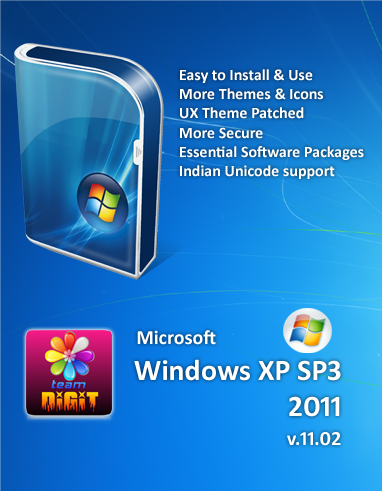

รายละเอียดของวินโดว์
ชื่อ : Windows XP SP3 2011 v11.02
ระบบ : Windows XP Professional SP3 Original MSDN
วันที่อัพเดท : 28.01.2011
CD Key: D36RK-QDFFD-BTWWY-BT7KK-43MGM
การแอ็คทีฟ : Already activated
ฺBootable
Install method: Unattended, Bootable, Fast
ไฟล์ : ISO
ขนาดไฟล์ :697 MB
Free Space Needed in C: 3 GB
โปรแกรมที่มีให้
7-Zip - File Compression Utility!
Adobe Acrobat Reader 9.0
Adobe Flash Player 10.2.161.23 – Latest Flash Player Update
Adobe Photoshop 6 Extended – Light weight, but Fully Functional Image Editor!
Atomic Clock – Synchronizes System Clock via Internet
Audacity – Free Audio Editor
Bandwidth Monitor – Monitor Internet Speed
BitLord 1.1 - Torrent Client
Clipboard Catcher – Monitor Clipboard
CDRoller – CD/DVD Recovery, Disk Image Viewer
Control Panel Addon- Clear Type Tuning
Control Panel Addon- DirectX
Control Panel Addon- Startup
Control Panel Addon- Tweak UI
CPU-Z – System Information
DevMan View - Device Manager
Disk Cleaner – Cleans Temporary Files, History
DriverMax - Backup & Restore Drivers!
DVD Shrink – Decrypt and Copy DVD Movies!
Empty Folder Finder
English Malayalam Dictionary
Essential Fonts Pack (with Indian Rupee Symbol)
Extra Themes (Enable Unsigned Themes with TuneUp Utilities > Styler)
Extra Wallpapers, Mouse Pointers
Fast File Finder
FastStone Image Viewer (Manual File Association Needed)
Font Expert - Font Viewer
Google Chrome - Ever Fast Browser! (v10.0 : Dec-2010)
Handy Recovery - File Recovery Tool
InfraRecorder - CD/DVD Buring Tool
Internet Download Manager - Download Manager
Internet Explorer v8.0 - Latest Update for XP!
IsoBuster – CD/DVD Recovery, Disk Image Viewer
Leap Office & ISM Malayalam - Malayalam Typing Tutor
Madhuri - Malayalam Typing
Microsoft RegClean - Registry Repair Tool
Mozilla Firefox 4.0 beta 9- Latest Browser!
Ninja 1.6 - Protection from USB Virus
PicPick - Image Editor with Screen capture!
Rainlendar - Desktop Calendar
Recuva - Data Recovery
Reg Tweaks – Some Registry Tweaks for XP!
ResHacker –Application Resource Viewer & Editor!
RocketDock – Desktop Dock!
ShortcutsMan - Repair Broken Startmenu Shortcuts
Sib Icon Editor – Free Icon Editor
SoftKey Revealer – View Registration Keys
TeraCopy – File Copying Utility
The KMPlayer v3.0 - All-in-One Media Player! (Manual File Association Needed. Press F2)
Torrent Search (Desktop Multi Search Engine)
Total Video Converter – Convert Any Video/Audio!
TuneUp Utilities 2007 – System Tweaking Tool
TweakUI XP - System Tweaking Tool
Unicode2ML – Malayalam Unicode Text to ASCII Text
USB Disk Ejector – Safely Remove USB Memory!
UX Theme Patched - Use Unsigned Themes!
uTorrent v2.2 – Torrent Client
Video Edit Master – Video Cutter & Joiner for mpg, avi
VLC Media Player – All-in-One Media Player!
What in Startup - Startup Organiser
Winamp – Music Player!
WinRAR – File Compression Utility!
Windows Media Player v11 - Latest Update!
WMouseXP Remote – Your Mobile Can be a Bluetooth PC Remote!
Youtube Downloader HD – Free Youtube Video Downloader
================================
วิธีใส่ CD Key
1. พิมพ์ regedit ในช่อง run แล้วเข้าไปที่ HKey_Local_Machine\Software\Microsoft\WindowsNT\Current Version\WPAEvents, ทางด้านขวา ดับเบิ้ลคลิ๊กที่ oobetimer แล้วลบตัวเลขที่อยู่ในนั้นให้หมด (จะเหลือเลข 0 อยู่สี่ตัว ลบไม่ได้)อันนี้เป็นการล้างค่าที่ไมโครซอฟท์ใช้ตรวจส อบวินโดวส์ขอเราครับ เสร็จแล้วกด OK แล้วปิดไปได้เลย
2. จากนั้นพิมพ์ %systemroot%\system32\oobe\msoobe.exe /a ลงในช่อง run แล้วกด Enter จะปรากฎหน้าต่างของ Activate Windows ขึ้นมา จากนั้นให้เลือกที่ Yes, I want to telephone a customer service representative to activate Windows แล้วคลิ๊กที่ Next
3.จากนั้นคลิ๊กที่ Change Product Key
4. จากนั้นให้ใส่ Product .......... key ลงไปเลย
แล้วคลิ๊กที่ Update เมื่อเสร็จเรียบร้อยแล้วก็ให้ปิดหน้าต่างนี้ไปได้เลย โดยคลิ๊กที่ X ที่มุมขวาบน
5. รีสตาร์ทเครื่องหนึ่งครั้ง แล้งลองพิมพ์ %systemroot%\system32\oobe\msoobe.exe /a แล้วกด Enter จะปรากฎคำว่า Windows is already activated ถ้าขึ้นตามนี้ก็แสดงว่าทุกอย่างเรียบร้อยแล้วครับ
6. ทดสอบโดยการตรวจสอบกับทางไมโครซอฟท์
http://www.microsoft.com/resources/howtotell/th/windows/default.mspx

ตัวนี้ทำให้Windows 7 เป็นของแท้ Windows Loader v2.0.3>>>http://www.mediafire.com/?ira1o2y7qbi52fy
ตัวนี้ทำให้Windows XP เป็นของแท้ ตัวนี้สุดยอดมากๆครับใหม่ล่าสุด>>>http://www.mediafire.com/?dpe0fxb8xdb9kxt
วันจันทร์ที่ 4 กรกฎาคม พ.ศ. 2554
แหล่งหา Driver ทุกยี่ห้อ

สมัครสมาชิก:
บทความ (Atom)